Playlist IPTV (TEST) — Buy IPTV Subscription with Bitcoin | M3U Playlist & Xtream Codes IPTVPlaylist IPTV (TEST)
Plans & PricesSetup GuidesDownloader CodesFAQContact
Login
Playlist IPTV (TEST) — Buy IPTV Subscription with Bitcoin
Playlist IPTV (TEST)

Premium IPTV subscriptions with instant Bitcoin activation.

Support: support@playlistiptv.org

Product

Plans & PricesFAQHow to Buy BitcoinLogin to your account

Setup Guides

TiviMateIBO PlayerDownloader CodesAll Guides

Troubleshooting

Error codes & fixesChange DNS for IPTV

Company

AboutContactPrivacy PolicyTerms of ServiceRefund Policy
© 2026 Playlist IPTV (TEST). All rights reserved.Secure Bitcoin payments
All systems operational

Buy IPTV Subscription — Premium Streaming, Delivered in Minutes

Pay with Bitcoin and get your M3U playlist, Xtream Codes login and EPG by email — ready for Firestick, Smart TV, mobile and PC.

See Plans & PricesSetup Guides
MinutesAverage activation time
FREEFull-access trial
7 daysHuman support, every week
Delivery previewby email, in minutes
M3U Playlist URLhttps://line…/get.php?type=m3u_plus
Xtream Codes Loginserver · username · password
EPG TV Guidehttps://line…/xmltv.php
One payment. No contract.Try it first →
All systems operational
Premium
MinutesAverage activation time, day or night
FREEFull-access trial — test everything, no risk
M3U + XtreamPlus EPG guide in every plan
All devicesFirestick, Smart TV, Android, iOS, PC
Why choose us

Built for instant delivery, not for resale talk

No contracts, no hidden fees, no waiting. You pay, we activate, you watch.

Activated in minutes

Your M3U playlist and Xtream Codes login arrive by email within minutes of payment confirmation — day or night.

Everything included

Every plan ships the full package: M3U playlist, Xtream Codes API login and EPG guide. Nothing is upsold.

Private by design

Bitcoin-only checkout. No cards, no banks, no account to create — your privacy stays yours.

Works on your devices

Firestick, Smart TV, Android, iPhone and PC — with illustrated setup guides for every major app.

Pricing

Simple plans, honest prices

Every plan includes the full package: M3U playlist, Xtream Codes login and EPG. Pay with Bitcoin — no account, no subscription traps.

1 Month
$9
$9.00 / month
✓M3U playlist included
✓Xtream Codes login included
✓EPG TV guide included
✓Works on Firestick, Smart TV, mobile & PC
+2 more — see full list below
Buy Now
3 Months
$24
$8.00 / month
Save $3 vs monthly
✓M3U playlist included
✓Xtream Codes login included
✓EPG TV guide included
✓Works on Firestick, Smart TV, mobile & PC
+2 more — see full list below
Buy Now
6 Months
$43
$7.17 / month
Save $11 vs monthly

What you get

Everything included, every plan

No tiers, no upsells. Each subscription ships with the complete package.

M3U Playlist URLA single playlist link that loads all your channels in any player app.
Xtream Codes LoginServer URL, username and password for apps like TiviMate and XCIPTV.
EPG TV GuideElectronic program guide so you always know what's on.
All DevicesFirestick, Smart TV, Android, iOS, Windows and Mac.
Instant DeliveryLogin details emailed automatically within minutes of payment.
Email SupportReal help when you need it, from people who know IPTV.

Process

From payment to watching in 3 steps

01
Choose your plan

Pick a duration and enter your email at checkout. No account to create.

02
Pay with Bitcoin

Send the exact BTC amount to the address shown. Payment is detected automatically.

03
Watch in minutes

Your M3U, Xtream Codes and EPG arrive by email. Add them to any app and watch.

Resources

Setup guides

Free step-by-step tutorials for every major IPTV app.

TiviMate setup guide: install TiviMate on Firestick and add Xtream Codes playlist
TiviMate setup guide →
IBO Player setup on Smart TV: activate with device ID and add M3U playlist
IBO Player setup guide →
XCIPTV Player setup on Firestick: login with Xtream Codes API
XCIPTV Player setup guide →
Smart IPTV (SIPTV) setup on Samsung and LG Smart TV via MAC upload
Smart IPTV setup guide →
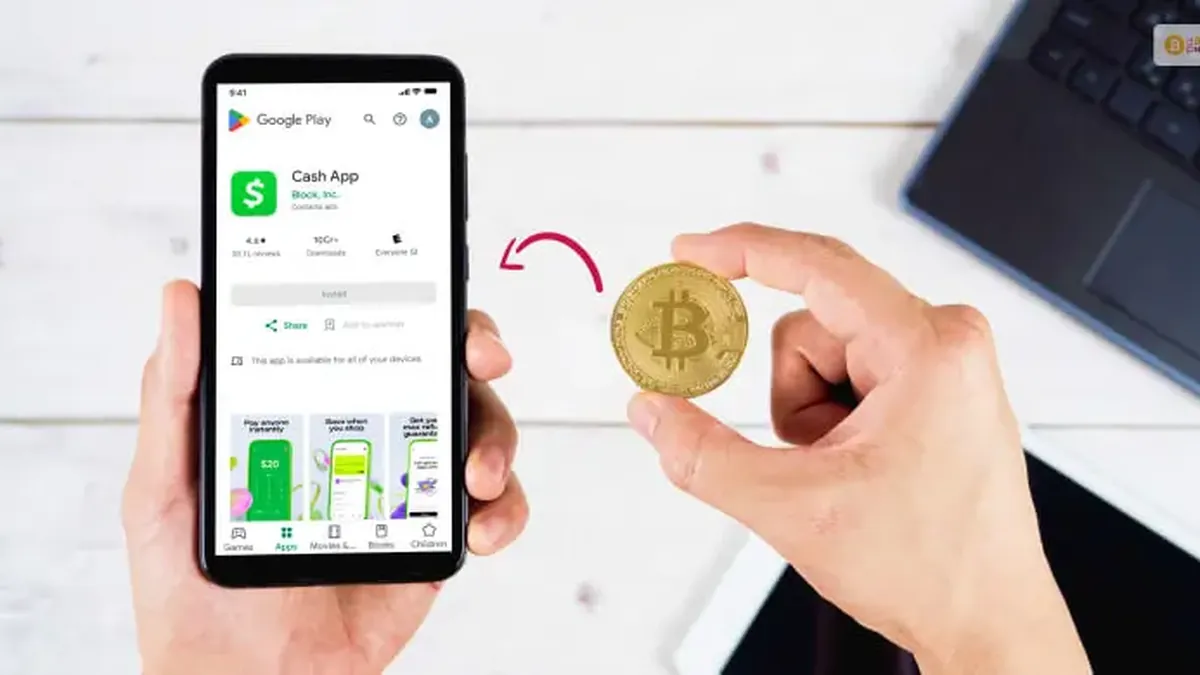
How to buy Bitcoin on Cash App to pay for IPTV subscription
Buy Bitcoin setup guide →
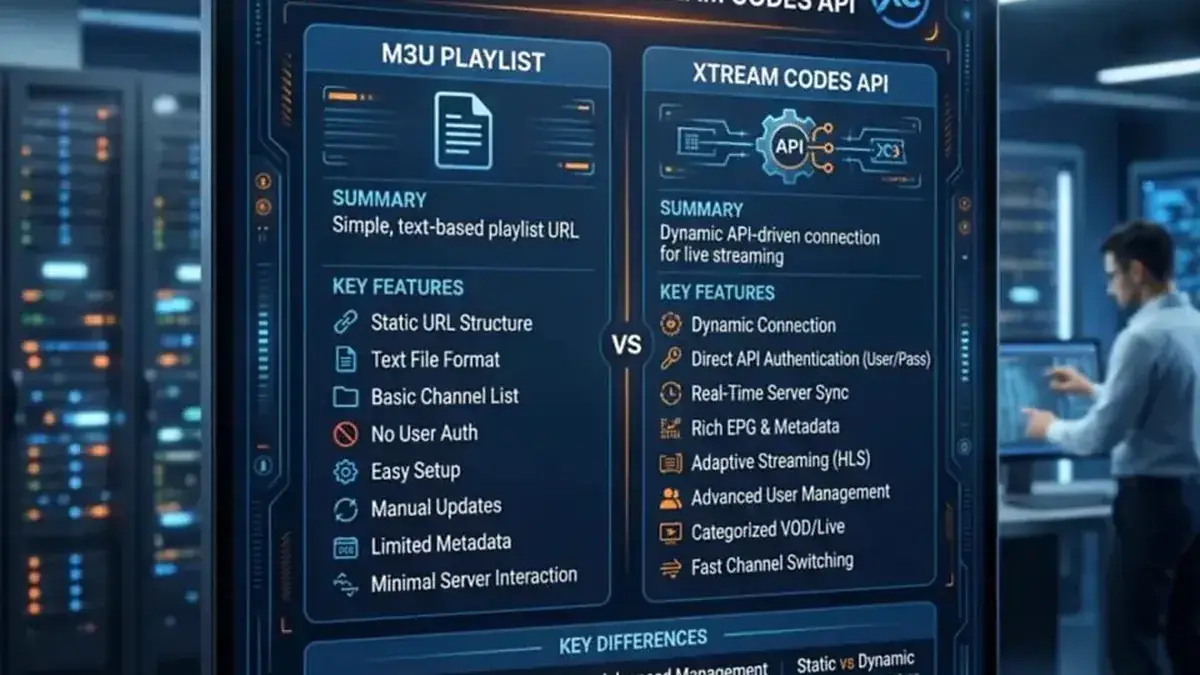
M3U playlist vs Xtream Codes API: which IPTV login method to choose

Support

Frequently asked questions

How do I buy an IPTV subscription with Bitcoin?+

Choose your plan below, enter your email at checkout, and pay the exact BTC amount to the address shown. Our system detects the payment automatically and emails your M3U playlist URL, Xtream Codes login and EPG within minutes.

How fast is activation after payment?+

Activation is automatic. Most orders are delivered within a few minutes of the Bitcoin payment being confirmed on the network.

What exactly do I receive?+

You receive three things by email: your M3U playlist URL, your Xtream Codes login (server URL, username, password), and your EPG URL for the TV guide. They all point to the same subscription.

Which IPTV apps are supported?
Not sure yet? Try it FREE

Your TV, upgraded in minutes

Choose your plan, pay with Bitcoin, and get your M3U playlist + Xtream Codes login by email — no contract, no waiting.

See Plans & PricesTalk to Support
✓M3U playlist included
✓Xtream Codes login included
✓EPG TV guide included
✓Works on Firestick, Smart TV, mobile & PC
+2 more — see full list below
Buy Now
Best value
12 Months
$66
$5.50 / month
Save $42 vs monthly
✓M3U playlist included
✓Xtream Codes login included
✓EPG TV guide included
✓Works on Firestick, Smart TV, mobile & PC
+2 more — see full list below
Buy Now
Feature
1 Month
$9
3 Months
$24
6 Months
$43
12 Months
$66
M3U playlist included✓✓✓✓
Xtream Codes login included✓✓✓✓
EPG TV guide included✓✓✓✓
Works on Firestick, Smart TV, mobile & PC✓✓✓✓
Instant delivery by email✓✓✓✓
One-time payment — no renewal charges✓✓✓✓

Every plan includes the full package — no tiers, no upsells.

Premium plan · One-time payment. No renewal charges — renew only if you want to.

M3U vs Xtream setup guide →
View all 10 guides →
+

Any app that accepts M3U or Xtream Codes: TiviMate, IBO Player, XCIPTV Player, Flix IPTV, Smart IPTV, Kodi, VLC and Perfect Player. Step-by-step setup guides for each are in our Guides section.

Which devices can I watch on?+

Firestick, Android TV and boxes, Samsung and LG Smart TVs, iPhone, iPad, Android phones, Windows and Mac computers — any device with an IPTV player app.

I have never used Bitcoin. Is it hard?+

No. Buy Bitcoin in Cash App, Revolut, Binance or Trust Wallet (a few minutes), then send it to the address on our checkout page. Our illustrated guide walks you through every step.