
How to Buy Bitcoin for IPTV 2026: Cash App & Binance
Last updated: · 6 min read · Playlist IPTV (TEST)
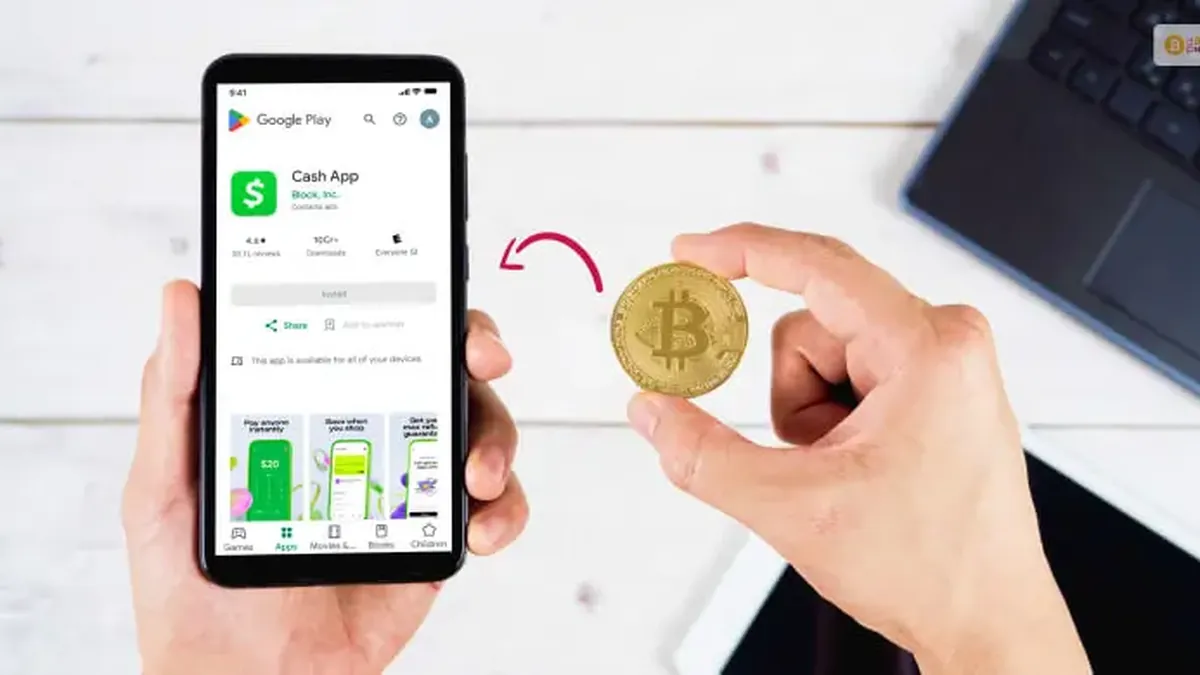
TL;DR: Buy Bitcoin inside Cash App, Revolut, Binance or Trust Wallet (all take a few minutes), then send it to the payment address shown on our checkout page. Verify the first and last characters of the address before sending — Bitcoin transactions can't be reversed. Our system detects your payment automatically and emails your IPTV login details within minutes.
Before you start — the golden rules#
- Buy first, then send. You purchase BTC inside the app, then transfer it to the address our checkout shows you. These are two separate steps.
- Check the address. Always verify the first and last characters of the payment address match what our checkout shows.
- Bitcoin network only. Send BTC on the Bitcoin network — never choose another network (Lightning, BEP20, etc.) for a Bitcoin address. Wrong network = lost funds.
- Send the exact amount. Our system matches your payment to your order by amount — send exactly what the checkout shows.
- Transactions are final. There are no chargebacks with Bitcoin, so double-check everything before confirming.
Option 1: Cash App — easiest in the US#
Best if you're in the US and want the simplest path.
- Open Cash App → tap the Bitcoin tab.
- Tap Buy, enter the amount, confirm. (You'll verify your identity first — a one-time step that takes a few minutes.)
- To pay us: Bitcoin tab → Send → enter the amount → paste the payment address from our checkout (or scan the QR code) → confirm with your PIN or fingerprint.
- Done — the payment is detected automatically, usually within minutes.
Fees: Cash App adds a small service fee on buys and the Bitcoin network fee on sends. For a ~$10–$70 order, expect roughly $1–3 total.
Option 2: Revolut — easiest if you already use it#
Best if Revolut is already your daily banking app.
- Open Revolut → Crypto → choose Bitcoin → Buy → enter the amount and confirm.
- To pay us: Crypto → Send → select Bitcoin → Add wallet address → paste our checkout address.
- Review the network and fee, then Confirm transfer.
Note: external crypto transfers on Revolut depend on your region and plan — if yours is restricted, move money to an exchange like Binance first, then buy and withdraw from there.
Option 3: Binance — lowest fees, full control#
Best if you want the cheapest fees and don't mind one extra step.
- Create a Binance account and complete identity verification (one-time).
- Buy Crypto → buy BTC with your bank card, or use P2P trading for local payment methods.
- To pay us: Wallet → Spot → Withdraw → choose BTC → paste our payment address.
- Select the Bitcoin (BTC) network — choosing the wrong network can lose your funds permanently.
- Enter the exact amount, confirm with 2FA. Card purchases are instant; the withdrawal takes a few minutes.
Fees: Binance has the lowest buy fees of the four options here, plus the standard Bitcoin network fee on withdrawal.
Option 4: Trust Wallet — your own wallet, full ownership#
Best if you want a self-custody wallet where you hold your own keys.
- Download Trust Wallet from trustwallet.com and write down your 12-word recovery phrase on paper. Never share it with anyone — not even us. Anyone with these words owns your Bitcoin.
- Tap Bitcoin → Buy, choose the amount and pay by card through the in-app provider.
- To pay us: Bitcoin → Send → paste our checkout address → set the amount and network fee → confirm.
How paying us works — step by step#
- Choose your plan on our homepage.
- At checkout, you see a Bitcoin address (and QR code) plus the exact BTC amount — calculated at the current rate, so you never have to do the math.
- In your app (Cash App / Revolut / Binance / Trust Wallet), choose Send / Withdraw.
- Paste the address, verify the first and last characters, select the Bitcoin network, send the exact amount.
- Our system detects the payment automatically — your M3U playlist URL, Xtream Codes login and EPG arrive by email within minutes.
How long does it take? (confirmations explained)#
Bitcoin payments need network confirmations before they're final:
- Small orders are usually detected within minutes — our system watches the address in real time.
- Full confirmation typically takes ~10–60 minutes depending on the network fee you chose (higher fee = faster).
- If it's been over an hour with no delivery email, check your spam folder, then contact support with your order ID — don't re-send.
Mistakes that lose money — avoid these#
- Wrong network: sending via Lightning, BEP20 or any non-Bitcoin network to a Bitcoin address loses the funds. Always select Bitcoin (BTC).
- Copy-paste malware: some malware swaps crypto addresses in your clipboard. Always verify the first and last characters after pasting.
- Sending from an exchange "internal transfer": always use a real on-chain Withdraw/Send to our address — not an internal username transfer.
- Rounding the amount: send the exact BTC amount shown — our system matches payments by amount.
- Sharing your recovery phrase: no legitimate support agent will ever ask for it. Ever.
New to IPTV apps? See our setup guides for TiviMate, IBO Player, Smart IPTV and more.
Frequently Asked Questions
How much Bitcoin do I need?
Just the price of your plan — the checkout shows the exact BTC amount at the moment you order, calculated at the live rate. You don't have to calculate anything.
How long does the payment take?
Usually a few minutes for detection, up to ~60 minutes for full network confirmation depending on the fee. Your login details are emailed automatically.
Is paying with Bitcoin safe?
Yes — you never enter card details on our site, and the payment address is unique to your order. Just send on the Bitcoin network to the exact address shown.
Which option is cheapest?
Binance typically has the lowest fees. Cash App is the simplest in the US. The difference on a $10–$70 order is a dollar or two either way.
Can I get a refund in Bitcoin?
Bitcoin payments can't be reversed by design. If there's an activation problem on our side, contact support and we'll make it right.
Do I need to verify my identity to buy Bitcoin?
Cash App, Binance and card purchases in Trust Wallet require ID verification. It's a one-time step and takes a few minutes.
I sent the wrong amount — what now?
Contact support immediately with your order ID and the transaction ID. Small underpayments can sometimes be topped up; overpayments are credited where possible.
Related guides

Ready to watch? Get your IPTV subscription now.
Instant activation — M3U playlist + Xtream Codes login + EPG, delivered by email in minutes. Pay with Bitcoin.
Buy IPTV Subscription