
Flix IPTV Setup on Smart TV 2026: M3U Upload Guide
Last updated: · 4 min read · Playlist IPTV (TEST)

Works on
TL;DR: Install Flix IPTV, go to Settings → User Account and copy your MAC address, then on your phone or computer open the playlist portal address the app shows you, enter the MAC, paste your M3U playlist URL, and upload. Restart the app — your channels appear. 7-day free trial included; afterwards a one-time activation fee per device.
Important: Flix IPTV is a player only — it contains no channels. Your IPTV subscription comes separately. No subscription yet? Get instant activation here.
Step 1: Install Flix IPTV on your device#
On Samsung Smart TV (Tizen)
- Press Home and open Apps.
- Search for Flix IPTV and install it.
- Open the app and go to Settings → User Account — write down your MAC address.
On LG Smart TV (webOS)
- Press Home and open the LG Content Store.
- Search for Flix IPTV and install it.
- Open it → Settings → User Account → note the MAC address.
On Firestick / Fire TV
Flix IPTV is not in the Amazon Appstore — sideload it:
- Install the free Downloader app (Find → Search → "Downloader").
- Enable Install unknown apps for Downloader (Settings → My Fire TV → Developer options).
- In Downloader, enter the official Flix IPTV download address, install the APK, and open it.
On Android / Android TV / iPhone
Install Flix IPTV from the Google Play Store or Apple App Store, open it, and find your MAC under Settings → User Account.
Step 2: Upload your M3U playlist (via the MAC portal)#
Flix IPTV is built around M3U — you link your playlist to your device's MAC address through a web portal:
- On your phone or computer, open the playlist portal address shown inside the app (it displays it on screen).
- Enter your MAC address exactly as shown in the app.
- Paste your M3U playlist URL from your IPTV subscription welcome email into the playlist field.
- Submit / upload the playlist.
- Restart the Flix IPTV app on your TV — your channels load.
Tip: keep the welcome email — if you ever need to re-upload the playlist, you repeat these same steps with the same MAC.
Step 3: After the trial — one-time activation#
- Free: 7-day trial with full features — enough to test everything.
- Paid: a one-time activation fee per device (each TV needs its own). Activate only through the activation page the app itself displays.
Warning: websites in search results pretending to be "official Flix IPTV activation" are not trustworthy. The only safe activation path is the one shown inside the app. We do not sell Flix IPTV activation — it is sold only by the app's developer.
Tips if something doesn't work#
- Playlist disappeared after a few days: re-upload it through the portal (same MAC, same M3U URL) and restart the app. If the 7-day trial expired, activate the device to keep using it.
- Playlist not loading at all: an expired IPTV subscription is the most common cause — check your subscription status. Then double-check the M3U URL for typos (test it in VLC: Media → Open Network Stream).
- Still shows "Trial" after paying: fully close and reopen the app (don't just press Back), wait 5–10 minutes for the activation to register.
Full troubleshooting: IPTV error codes & fixes.
Frequently Asked Questions
Is Flix IPTV free?
It has a 7-day free trial. Continued use needs a one-time per-device activation, paid to the app developer. The IPTV channel subscription is separate.
Where do I upload my playlist for Flix IPTV?
Through the web portal address displayed inside the app — enter your MAC there and paste the M3U URL.
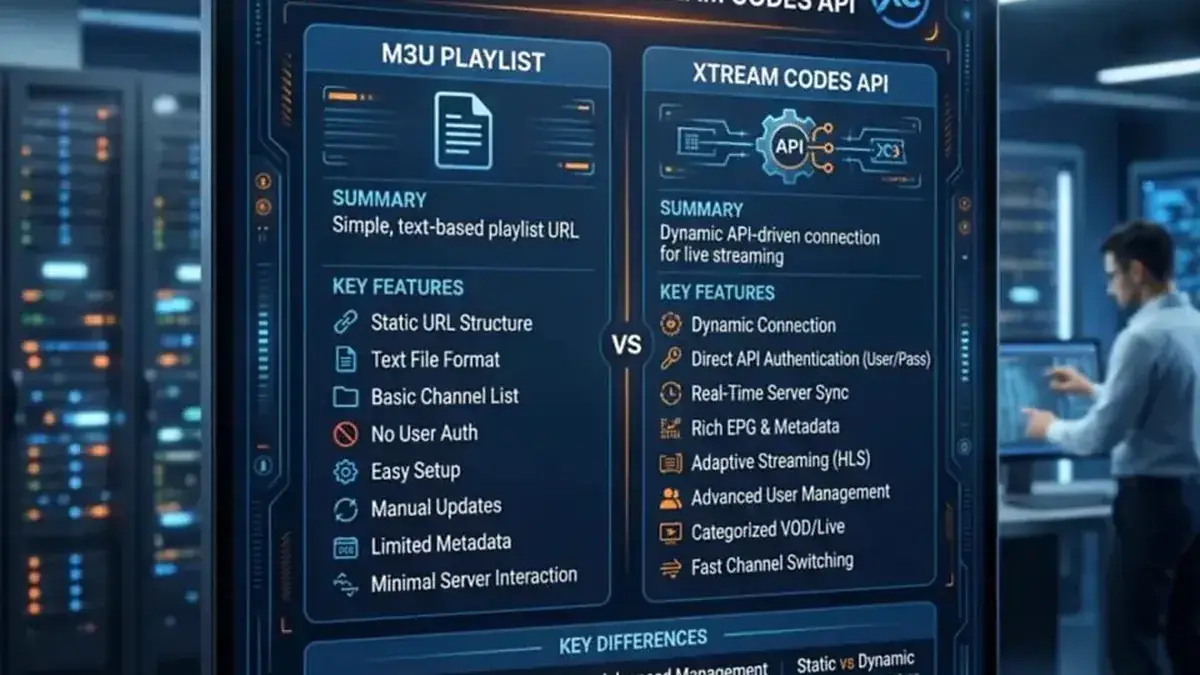
Can I use Xtream Codes with Flix IPTV?
Flix IPTV is designed for M3U playlists. Use the M3U URL from your welcome email — it carries the same channels.
Does Flix IPTV show a TV guide (EPG)?
The guide loads when your playlist data includes it — with a standard M3U setup, guide coverage depends on your subscription's playlist. Xtream-based players like TiviMate show richer guides.
I changed my TV — do I pay again?
Activation is tied to the device, so a new TV needs its own one-time activation. Your IPTV subscription itself works on the new TV — just upload the playlist with the new MAC.
Related guides
Ready to watch? Get your IPTV subscription now.
Instant activation — M3U playlist + Xtream Codes login + EPG, delivered by email in minutes. Pay with Bitcoin.
Buy IPTV Subscription